

What is WebMCP? A practical guide to making a website usable by AI agents
WebMCP is a proposed way for a website to tell an AI agent what a visitor can actually do on a page. A booking form could expose a “check availability” tool; a support portal could expose a “find my ticket” tool. The agent still works in the visitor’s browser, against the website’s own interface. It is an interesting development for businesses whose customers need to complete tasks online. It is not, at present, a shortcut to being found in ChatGPT or ranking in Google.
That distinction matters to us at Bonbon Group. We work with companies on AI agents and automation, but we also depend on people finding our own website. It would be easy to add a fashionable protocol and call it an AI visibility strategy. I would rather be clear about what the technology can do, where it is useful, and what will actually bring qualified enquiries.
What is WebMCP?
WebMCP, short for Web Model Context Protocol, is a browser proposal for making website actions available to AI agents as structured tools. Instead of an agent guessing which button to click from a screenshot or interpreting a page of markup, the site describes an action by name, explains its inputs and lets the agent invoke it in the context of the page the visitor has opened. The browser mediates that interaction.
There are two approaches in the current Chrome WebMCP documentation. The declarative approach describes an existing HTML form, using attributes such as toolname and tooldescription. The imperative approach registers tools in JavaScript through document.modelContext.registerTool. Both are designed around tasks carried out on a site, not around publishing content to a search index.
WebMCP is still an emerging browser capability. Chrome has documented an origin trial and developer guidance, but support and agent behaviour will change as the proposal develops. Check the current browser documentation before planning a production rollout.
Would WebMCP make a company more visible in ChatGPT?
There is no sound evidence that adding WebMCP to a site makes ChatGPT recommend it, cite it or send it more traffic. A browsing agent would first have to reach the site before it could discover the tools on its pages. Search discovery and on-page agent actions are separate problems. Nor is there a published Google ranking benefit for adding WebMCP.
For a consultancy site such as bonbon.io, the practical priorities are clear service pages, genuinely useful articles, sensible internal links, crawlable published content and credible references from elsewhere. Those give a search engine or a researching person something to find and evaluate. Our article on how websites compete with AI summaries looks at the visibility side in more detail. Structured data can help explain a page, but schema.org markup and WebMCP serve different purposes: one describes content to consumers, while the other exposes actions within a browser session.
An AI assistant may eventually be able to carry out a useful task on a company website once it arrives. That would improve the experience for some visitors. It would not replace the work of earning the visit in the first place.
Where WebMCP might genuinely help a business
Imagine an equipment supplier whose customers repeatedly need a replacement part. The website already has a product finder with three fields: model number, serial number and country. The team could expose that existing finder as an agent-readable action. A customer could ask an assistant to find the compatible part, and the assistant could use the same validated form that a human visitor uses. The supplier keeps control over the lookup and the result; the agent gets a reliable interface instead of trying to infer one.
Other candidates include booking an appointment, checking an order status, requesting a quote from a defined set of inputs or searching a documented knowledge base. The best first case is a task people already try to complete on the site, with a clear result and an obvious way to confirm it. A simple contact email link, like the one on Bonbon’s site today, does not suddenly become a useful agent tool because it has been given a protocol label.
This fits the wider point in our guide to AI agents, chatbots and automation: decide what work needs doing before choosing an interface. For an example of agent systems operating in a real business, see how to use OpenClaw for AI automation.
How to add WebMCP to an existing website
Start with one current user journey. Map what the person inputs, what the site returns, what can fail and whether the action changes anything important. Measure the existing friction first. If the form is confusing for a human, making it callable by an agent will not fix the underlying workflow.
For a conventional form, read Chrome’s declarative API guide. Give the form a specific tool name and a description that says exactly what it does, then label each field properly. Reuse the same validation and server-side checks that protect normal submissions. Test the journey both with a person using the page and with a browser that supports the experimental feature. Do not promise a successful booking or quote until the application has actually returned one.
For an interaction that cannot be expressed as a form, the imperative API guide describes registering a JavaScript tool with a clear input schema and an execute handler. Keep inputs narrow, results explicit and errors understandable. If the action creates, purchases, sends or changes something, require a deliberate user confirmation and make the consequences visible. An agent must not get broader access than the person using the site.
There is a security dimension here too. Page content and user-provided text can include instructions an agent should not follow. Authentication, authorisation, rate limits, validation and audit trails still belong in the application. Chrome’s secure tools guidance is worth reading before exposing a consequential action. Our article on the hidden costs of shipping AI into production covers the less glamorous operational work that tends to decide whether these systems hold up.
Finally, watch the outcome rather than the demo. Are people completing the task? Are incorrect submissions going up? Does the team understand which tool an agent used and why? For ongoing agent work, context engineering and sensible boundaries matter more than a long list of tool names.
Where Bonbon can help
I’m Darryl, CTO at Bonbon Group. We help businesses across Newcastle, the North East, Leeds and Harrogate work out where AI agents can make an actual difference, then build the workflows and safeguards to support them. That can start with a practical workshop, an assessment of your existing customer journeys, or a working prototype for one well-defined task. We also build and improve the underlying websites and systems those agents need to use.
If you have a customer portal, booking flow or internal workflow that might benefit from agent access, talk to us about AI agents or get in touch with Bonbon. We can look at the specific journey, decide whether WebMCP is useful yet, and separate that decision from the work needed to get more qualified people to your website.
Related Articles
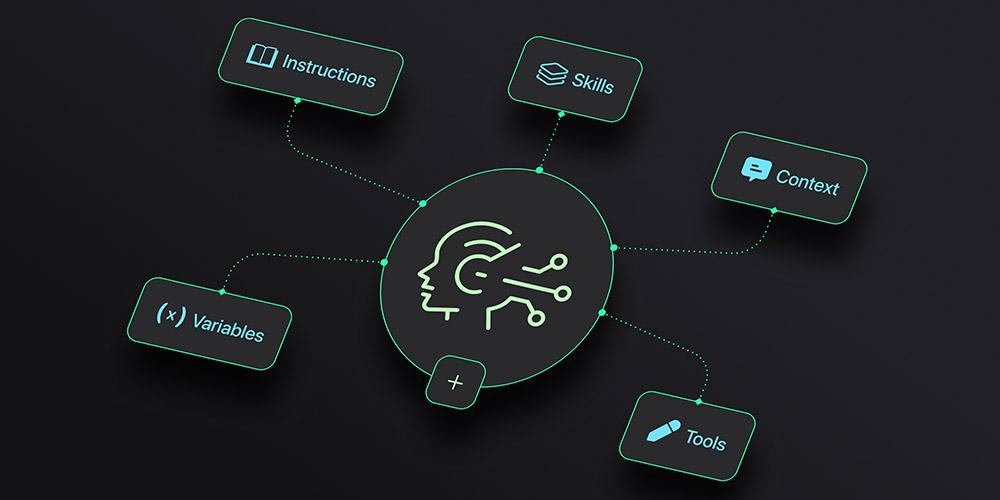
Prompt engineering is fading. Context engineering is the real work now.